Building intranet on the internet
Published:
Originally published on Substack.
OmniEdge is a software company that offers peer-to-peer (P2P) private networks with an end-to-end encrypted tunnel to replace the legacy virtual private network(VPN), with just one single click. Customers can run any intranet applications for personal and enterprise purposes. OmniEdge provides one of the easiest ways to communicate with any devices, including cloud instances, Windows/macOS/Linux laptops and desktops, Android phones, iPhones, NAS, IoT, and IIoT devices and routers on the internet, putting them all together in a private network without the complexity of configuration, but just a single click.
The service will serve our customers for both personal and professional purposes scenarios, provide the possibility of interconnecting up to 100 devices in the same network completely free of charge.
What is OmniEdge and What is it for?
OmniEdge is building a security solution for the future of work in the post-pandemic period while companies are embracing permeant remote work. OmniEdge provides us the possibility to build a private own intranet on the internet, interconnect all of your multiple devices located anywhere in the Plant(or Mars in the future), without the complex knowledge of computers.
OmniEdge offers a client program that allows us to connect our PCs, Cloud instances, Mobile Phones, routers, and other devices with a peer-to-peer communications protocol, and all this is free and secure, all the traffic between your devices is encrypted. All your devices will be on the same subnet like an old physical intranet in the same room. You do not need to think about the complexity to create a subset and others, OmniEdge will set up everything for you.
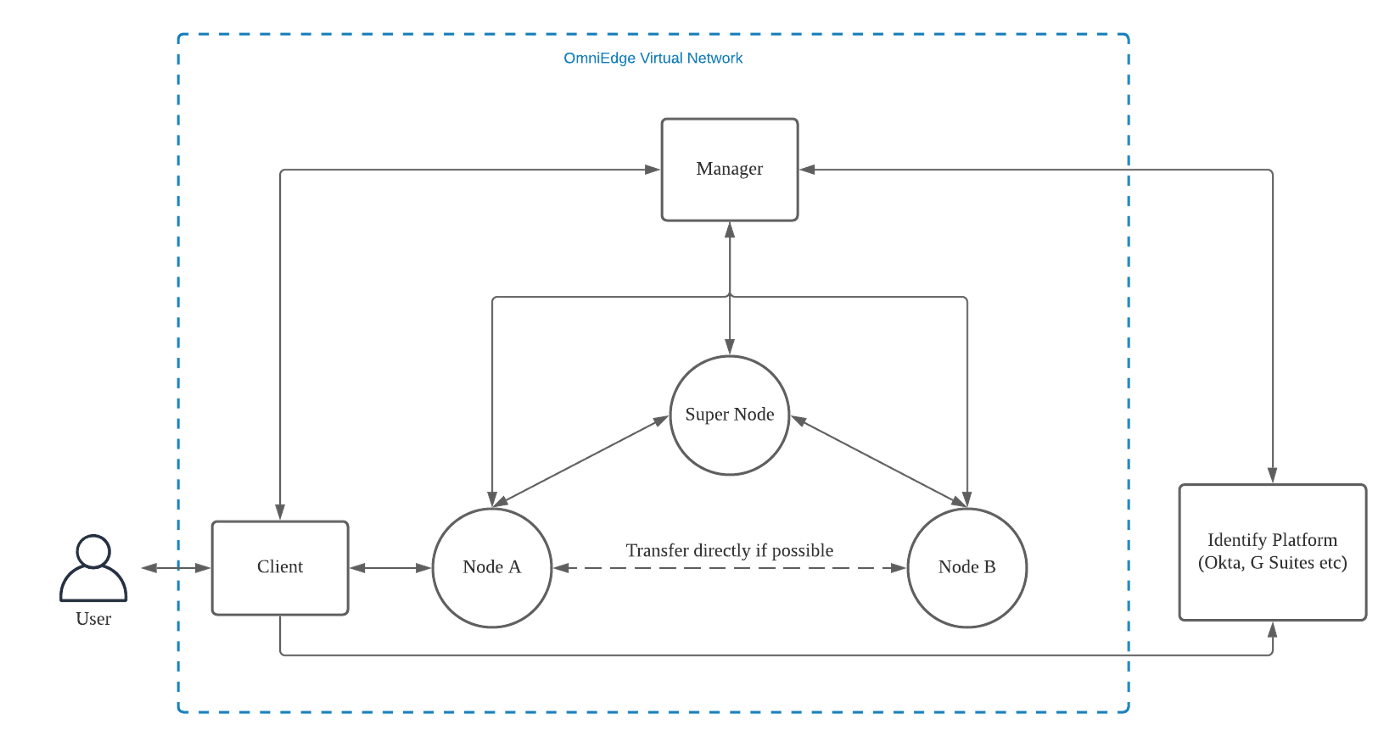
The most important feature of OmniEdge is that the communications between devices are peer-to-peer. Unlike the legacy VPNs where they will have a central server or router. In these cases, the data are sent directly from your devices to the other devices, without the need for the relay of the central server, which brings us a highly secure and low latency experience.
Mostly, OmniEdge is compatible with Windows 7, 10(ARM version as well), windows server 2016 and 2019, Linux, macOS, FreeBSD, Android, iOS, Linux, and also NAS servers in the coming future. The free version of OmniEdge is useful for most of the purposes, as they provide:
1. up to 100 devices with community support
2. No paid plan at the moment
Registration
The first thing we have to do is download OmniEdge App. You go to https://omniedge.io and click on Download, select the platform app you want to, click Download For Windows 7 or Later for example if your platform is Windows.
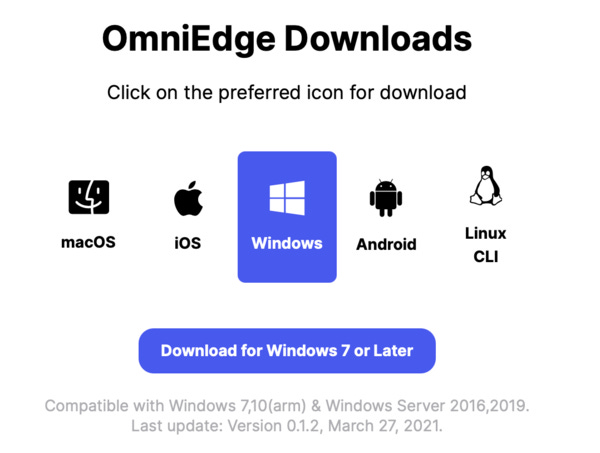
Follow the instructions Get started on Windows to start OmniEdge windows:
1. Download and run the Windows installer
2. Click on “Log in…” from the OmniEdge icon now in your system tray
3. Sign in with your email address or log in with Google
4. Click “Connect” in the menu bar from the tray icon. After a pop-up disappears, a secure VPN connection is initialized.
After you download the app, you have to install it and run it like:
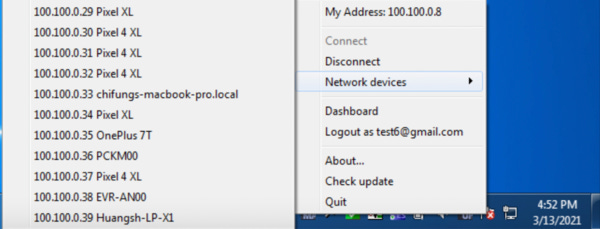
It’s EASY!! Now do the same installation procedure on your other Windows devices, you will see your new devices in your devices list, and try ping the machine, try to connect with remote desktop client by input the IP address in your devices list.
OmniEdge installation on the other endpoints(Mac, Mobile Phones, Etc)
Once you have installed OmniEdge on a Windows computer, you log in with your account, and your computer is now registered automatically. You are able to check it in your devices list. When we build our private network, interconnect all our devices, including the devices that are behind a NAT, you have your own secure private intranet.
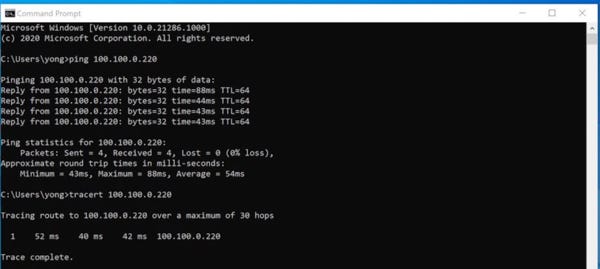
Below, you can see how from a laptop we can communicate with Cloud Instances without any problem, and with peer-to-peer connection(checked by command tracert).